Console Tour
The MLRun console at http://localhost:5270/mlrun-console is the
single place where a feature pipeline, training run, deployment, and
generated Python project all meet. The page has two views:
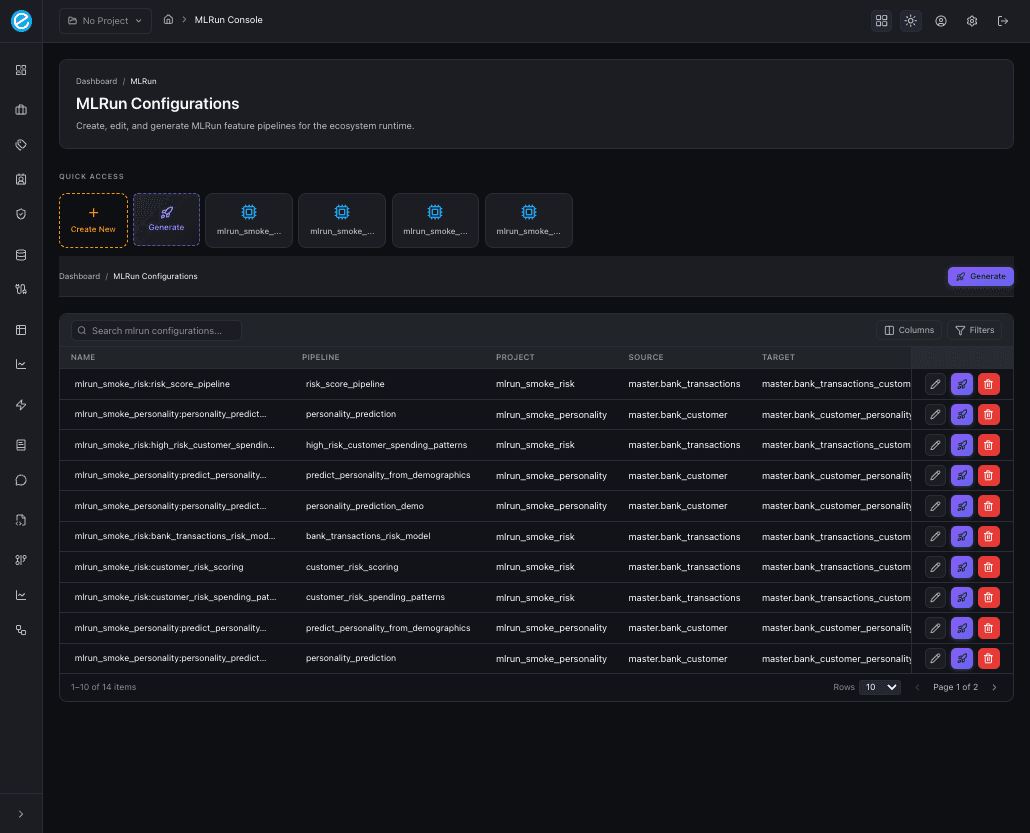
- A Configurations list — every persisted MLRun configuration, with quick-access tiles, search, and per-row actions (Edit, Generate, Delete).
- A Configuration editor — opened when you click a row, with a sticky header (project / pipeline / state / version), three primary actions (Back, Generate, Save version), and 13 tabs that map one-to-one to the lifecycle stages.
This page is the screenshot-led tour. Each section ends with a link to the in-depth chapter for that stage.
Configurations list
Search, filter, paginate, and act on every saved configuration. The
Quick access strip at the top exposes a Create New button, a
shortcut Generate tile, and the four most-recently-touched
configurations as one-click tiles.
Per-row actions:
| Icon | Action | Behaviour |
|---|---|---|
Edit | Open the configuration in the 13-tab editor. | |
Generate (rocket) | Run the full lifecycle (validate → save → train → emit Python) for that row without leaving the list. | |
Delete | Cascade-delete the row plus all linked pipelines, feature sets, runs, and K8s deployments — confirmed via a danger dialog that prints the final delete counts. |
Configuration header
When you click a row, the configuration editor opens with a sticky
header that shows the project / pipeline pair, current state
(draft / active / archived), version, and a lifecycle
readiness label such as 5/5 lifecycle sections ready. The three
header actions are always available regardless of the active tab:
- Back — return to the configurations list.
- Generate — run the manual end-to-end generation (saves first, then emits Python).
- Save version / Create — bumps the persisted document.
Below the header is the tab strip in the order shown in the screenshots:
Overview · Project · Data Source · Features · H2O Frame · Training · Models · Training Runs · Adapters · Python · Runs · Deployments · Generate
1. Overview
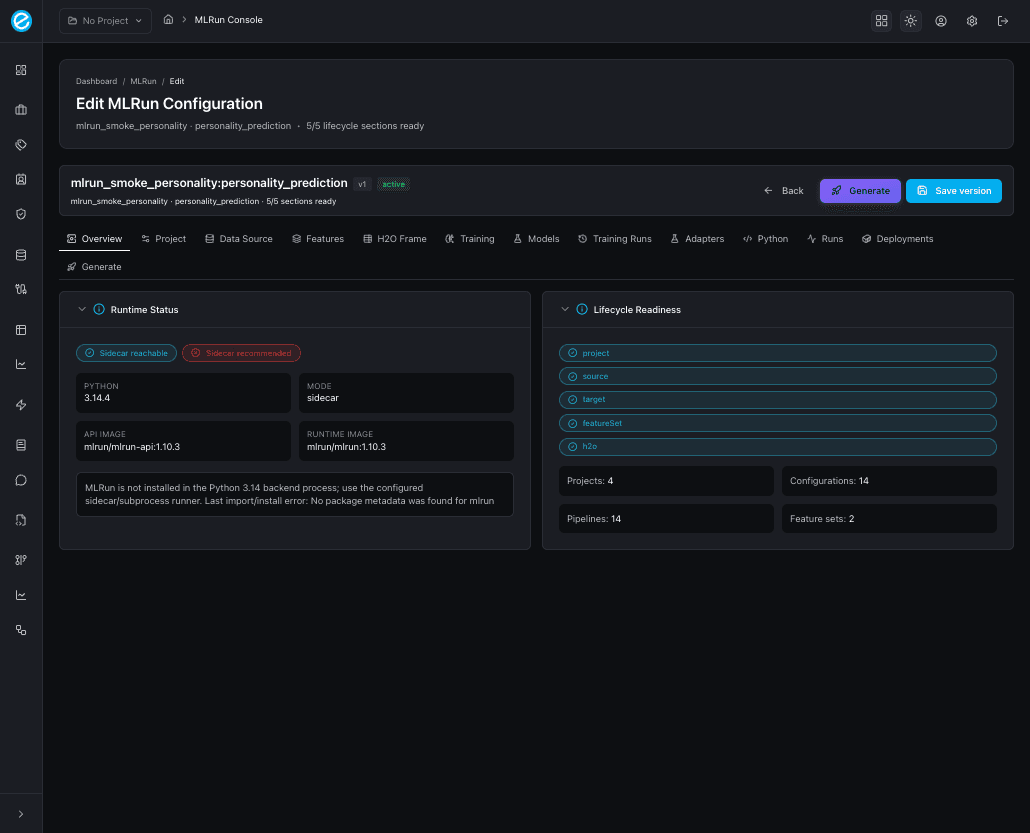
Health board for the configuration. Shows two pills (sidecar reachable / in-process MLRun availability), Python version, runtime mode, the trainer API and runtime image tags, and a counter card for projects, configurations, pipelines, and feature sets.
2. Project
Identity for the configuration: project_id and pipeline_name.
These two fields drive every collection name, log scope, and
deployment label that the rest of the lifecycle emits, so they
should be set early and rarely changed.
3. Data Source
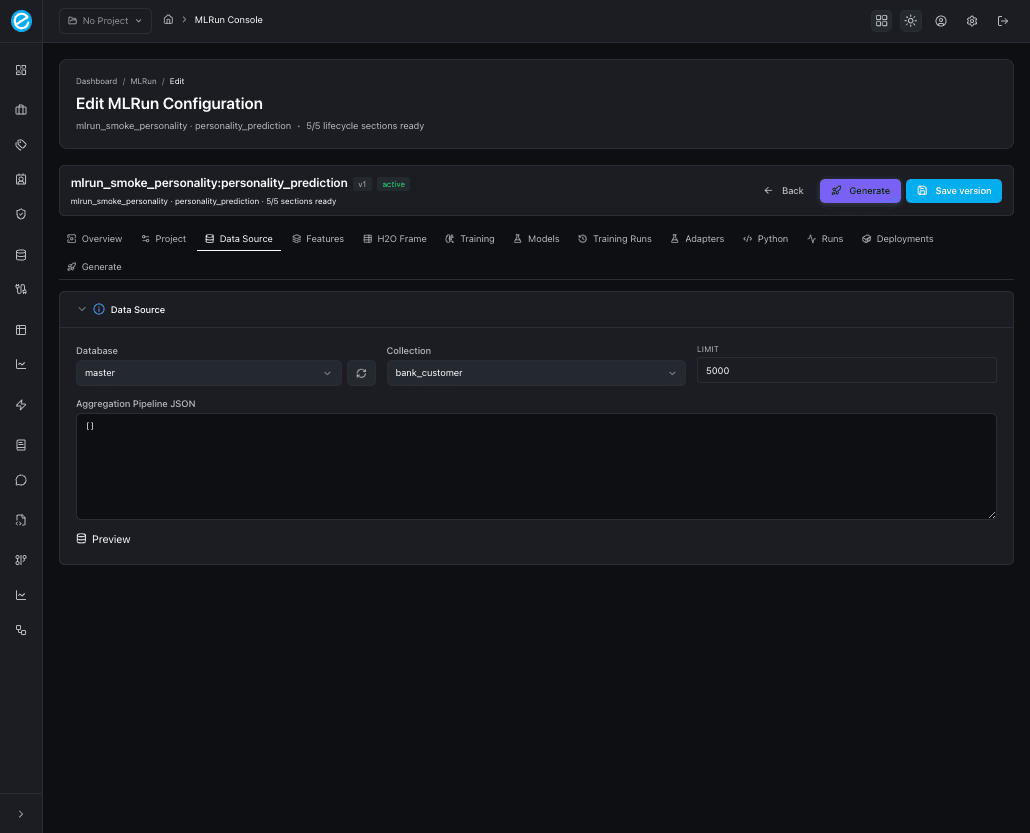
The MongoDB binding. Database and collection use a searchable select
populated from pipelineApi.listDatabases() /
listCollections(). A refresh button next to the database picker
forces a re-fetch from MongoDB.
The big text area is the Aggregation Pipeline JSON — what the trainer sidecar runs against the source collection to produce the engineered feature documents. The Preview button samples the first results without writing to the target collection.
See Data Preparation for the seeded pipelines and the preflight checks.
4. Features
Defines the engineered feature set that lands in the target collection. Fields:
Feature Set— name registered inmlrun_feature_sets.Entity Keys— comma-separated keys used as join points (e.g.customer_id).- Target Database / Collection (same searchable selectors as the Data Source tab).
- A Transformation JSON text area for
select_columns,drop_columns,rename_columns,fillna, andconstants.
5. H2O Frame
Names the destination H2O frame and reuses the existing Workbench MongoDB → CSV → H2O conversion. Useful when you want the same training frame consumed by H2O AutoML jobs running outside the MLRun trainer.
6. Training
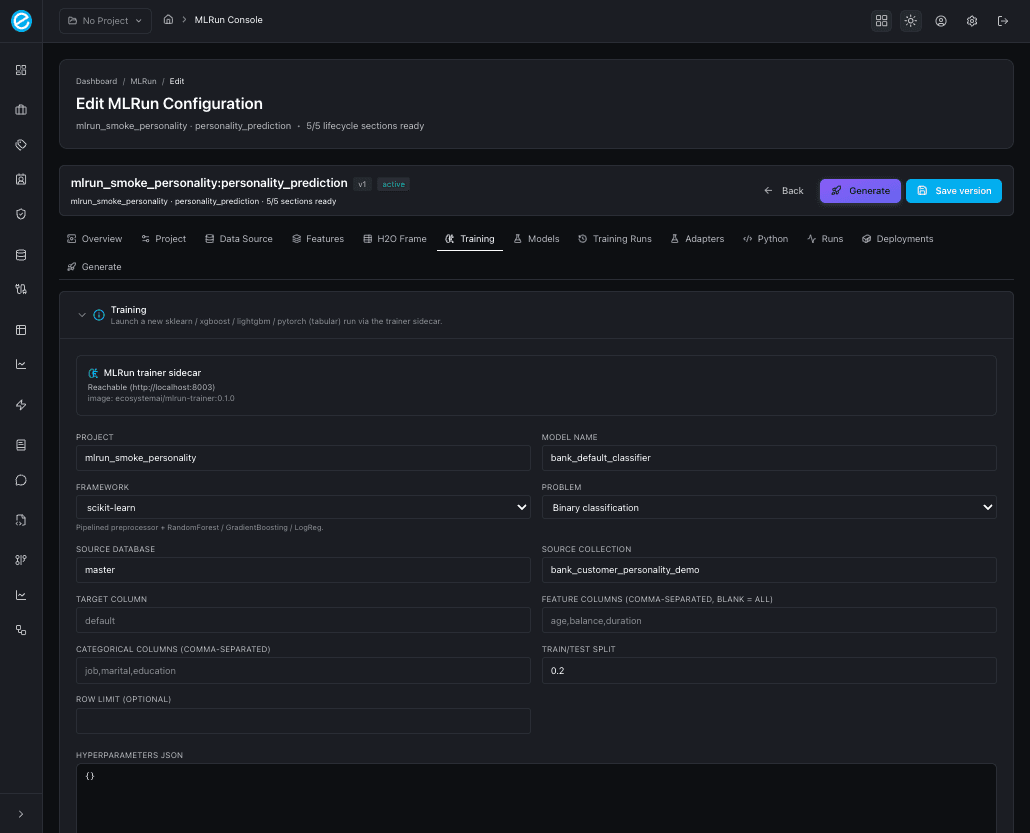
Launches a new run against the trainer sidecar. Pick the framework
(sklearn, xgboost, lightgbm, pytorch), tweak target / split /
hyperparameters, and click Train. On success the run appears in
Training Runs and the freshly trained model appears in
Models. The tab pre-fills the project / database / collection
defaults from the configuration so you rarely need to retype them.
See Model Training for the contract
between the console and POST /train.
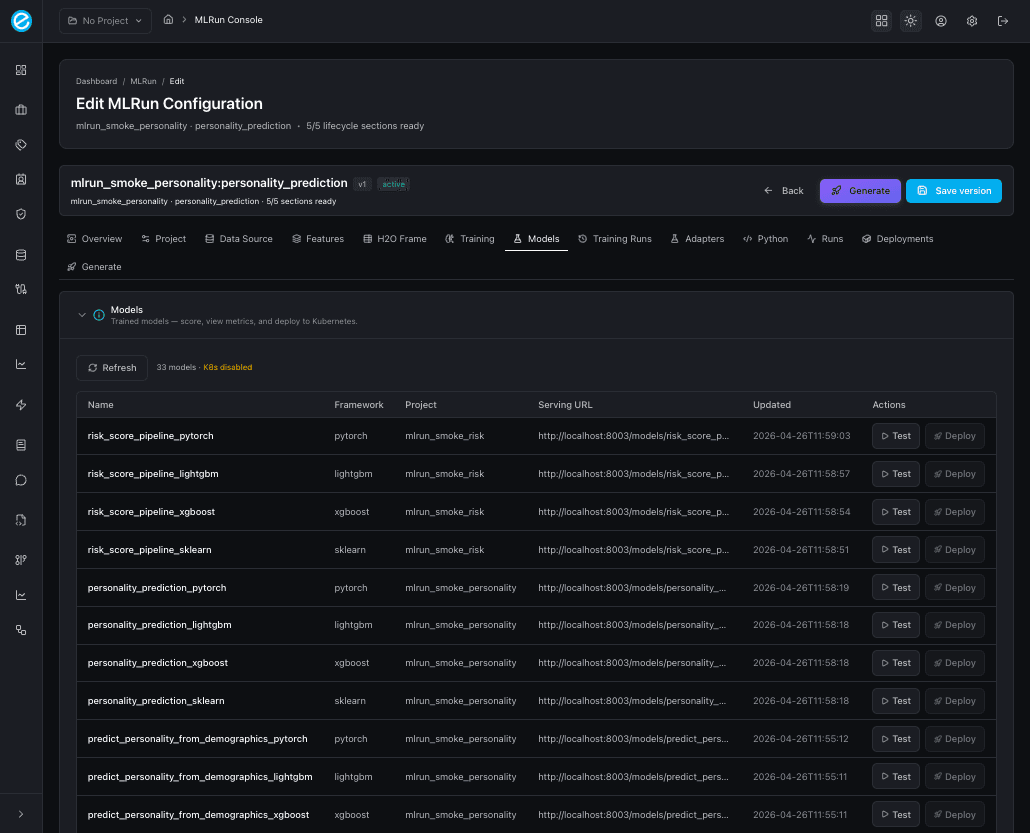
7. Models
Trained-model registry for this configuration’s project_id. Each
row exposes:
- Framework, model id, and adapter id.
- Headline metrics (
accuracy,f1,roc_auc,precision_at_k). - A Score action that hits
/invocationswith a sample payload. - A Deploy action that hands the model to the K8s router (when
K8S_ENABLED=true).
8. Training Runs
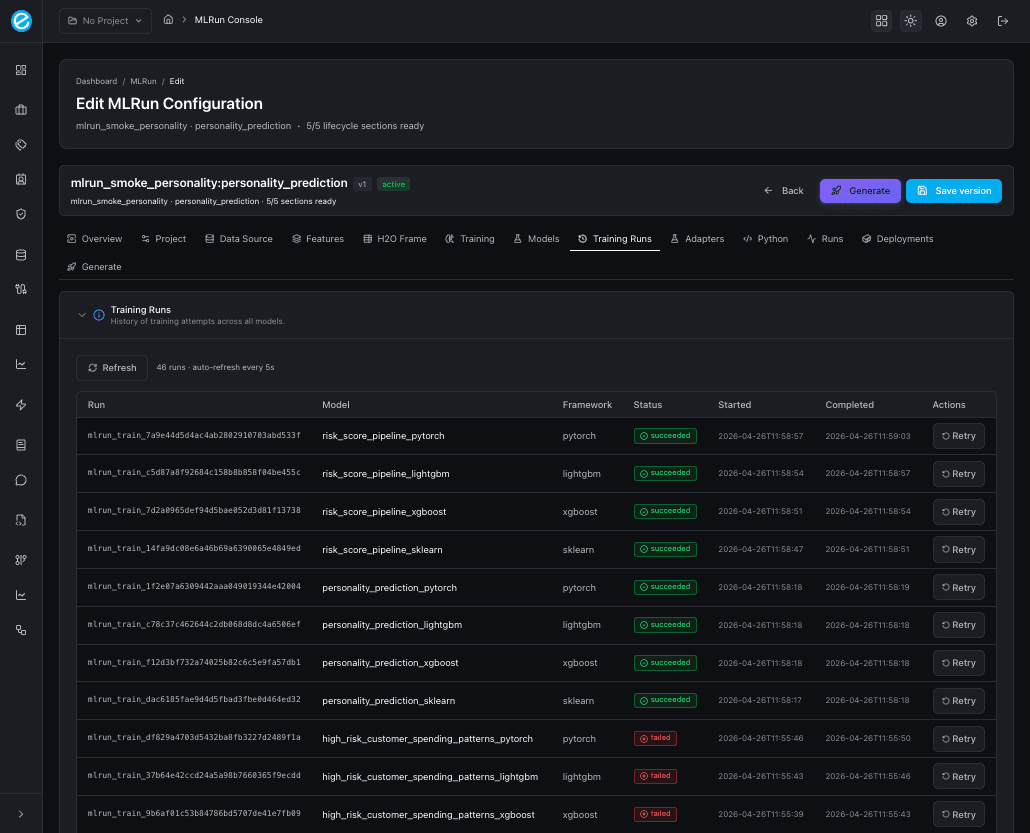
Append-only history of every POST /train call. Each row links back
to its source configuration, prints duration, status (succeeded /
failed), and offers a Retry action that re-submits with the
same hyperparameters. Use this tab as the audit trail when comparing
models across frameworks.
9. Adapters
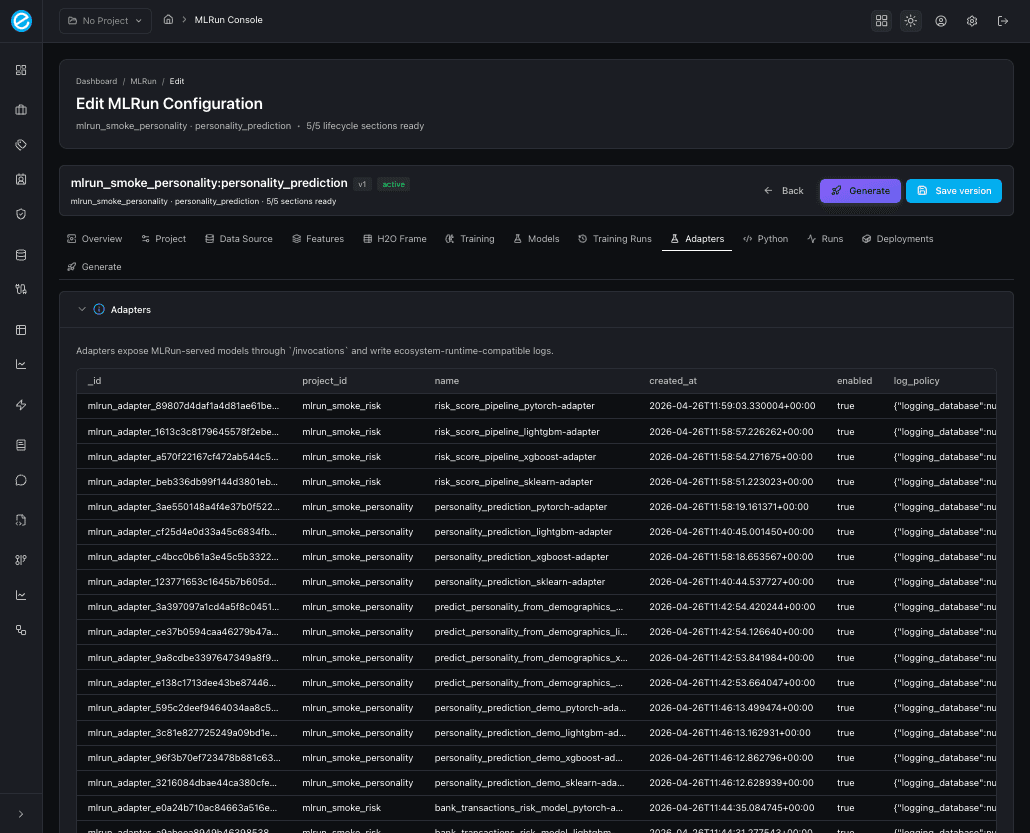
The runtime-side artifact: every saved adapter row shows the
/invocations payload contract, the adapter_log_policy (when
configured), and the ecosystem-runtime collections it writes to
(ecosystemruntime / ecosystemruntime_response).
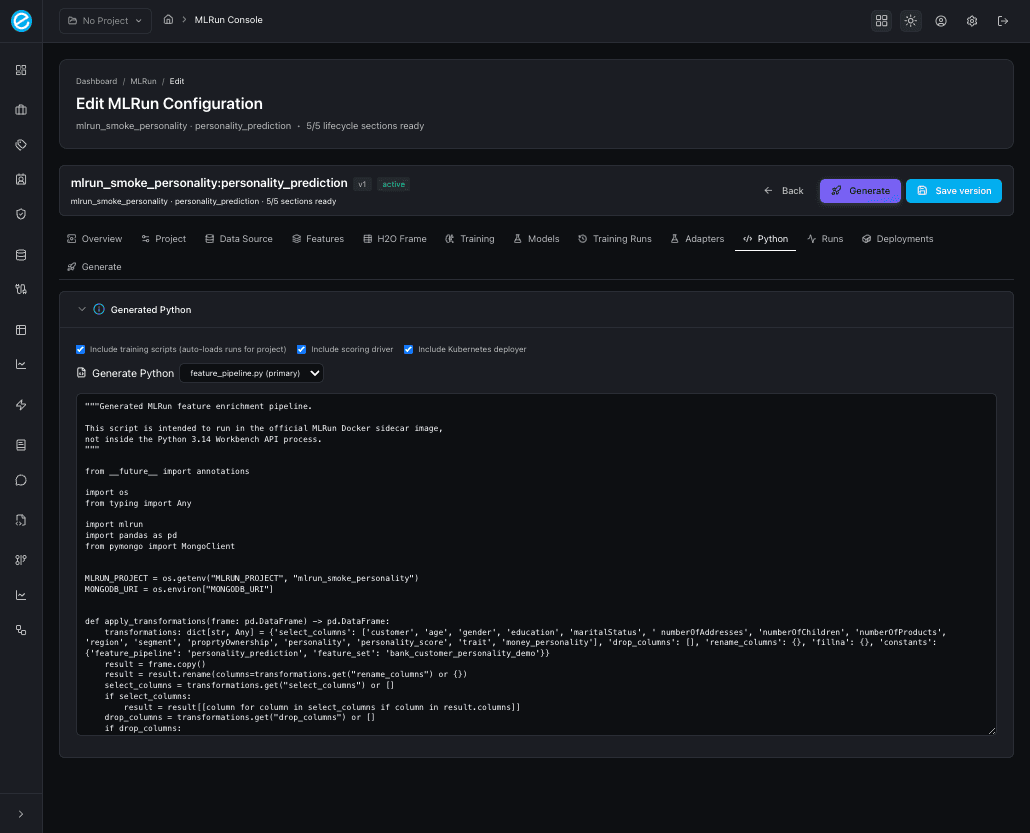
10. Python
The new code-emit panel. Three checkboxes control what the generator emits:
| Checkbox | Adds to the project |
|---|---|
| Include training scripts (auto-loads runs for project) | train_model.py per framework, dispatched through train_all(). |
| Include scoring driver | score_model.py calling /invocations with sample payloads. |
| Include Kubernetes deployer | deploy_to_k8s.py driving the workbench /api/v1/k8s/* endpoints. |
After clicking Generate Python, the tab shows a multi-file project; pick a file from the dropdown (the primary file is marked) to inspect the body in the read-only editor. The same artifact set is what the Generate everything button on the Generate tab emits.
See Python Generator for the field
reference, the adapter_log_policy shape, and how to run the
generated project locally.
11. Runs
Live list of feature-pipeline jobs (the Run Enrichment action
queues a job that materialises the engineered target collection).
Each row prints lifecycle_state, the trainer-side status message,
and any returned record count.
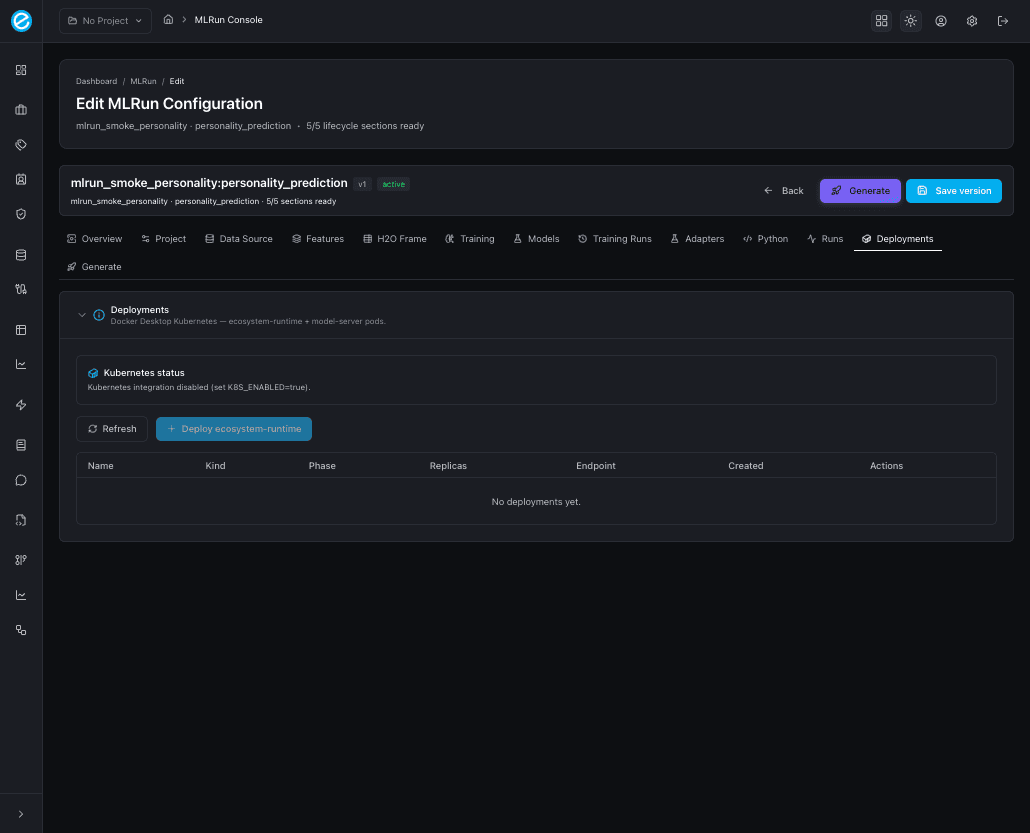
12. Deployments
Docker Desktop Kubernetes view: status pills, a Refresh button,
and a Deploy ecosystem-runtime action that schedules the Java
runtime pod with the trained-model artifact mounted. When
K8S_ENABLED=false, the tab clearly states that the integration is
disabled rather than silently failing.
See Kubernetes Deployment for the manifests, the namespace layout, and the runtime scoring path.
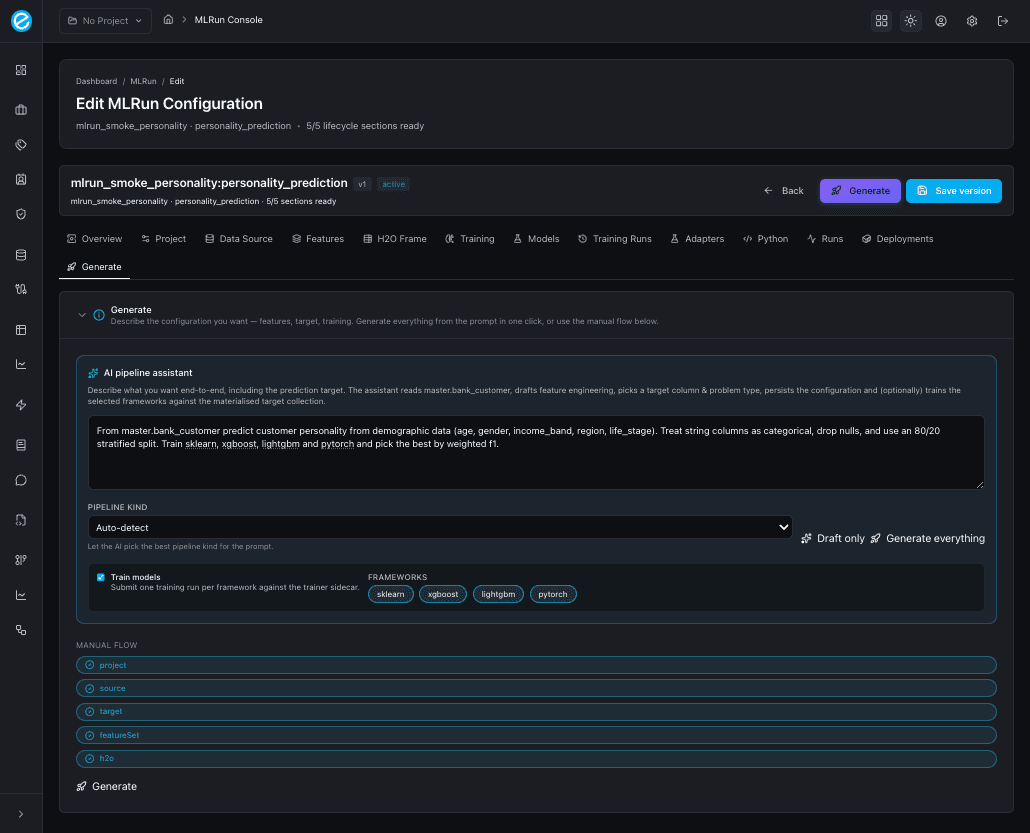
13. Generate (AI pipeline assistant)
The end-to-end automation tab. Two paths:
- AI pipeline assistant (top, framed in primary blue):
- A free-form prompt describing the goal — e.g.
“From
master.bank_customerpredict customer personality from demographic data; treat string columns as categorical and split 80/20.” - A Pipeline kind selector with seven presets:
auto,numeric,categorical,temporal,mixed,aggregates,type_coercion. - Train models toggle plus a multi-select pill row for the
frameworks (
sklearn,xgboost,lightgbm,pytorch). - Two action buttons:
- Draft only — fills the form fields (Project / Data Source / Features / H2O Frame) without persisting or training. Use this to review what the AI inferred before committing.
- Generate everything — runs the full lifecycle: NL → schema sample → configuration → persist → train selected frameworks → emit Python. The tab then prints an inline summary with the schema sampled, inferred target column, problem type, and one pill per training run.
- A free-form prompt describing the goal — e.g.
“From
- Manual flow (below): the same readiness pills as the Overview tab plus a Generate button that saves and runs the deterministic pipeline against whatever the form already contains.
Where to next
- Use-Case Definition for what the configuration object actually stores.
- Model Training for the framework matrix and the trainer contract.
- Python Generator for the multi-file project that the Python tab emits.
- Kubernetes Deployment for the Deployments tab and the runtime pod.
This page is the visual map. The companion lifecycle pages (Data, Training, Deployment, Generator, Access) are where the contracts, payloads, and CLI reproductions live.