Model Training
The trainer sidecar accepts a uniform POST /train contract and
dispatches internally based on framework:
framework | Library | Default model |
|---|---|---|
sklearn | scikit-learn | GradientBoostingClassifier / GradientBoostingRegressor |
xgboost | xgboost.sklearn.XGBClassifier | Histogram tree booster |
lightgbm | lightgbm.sklearn.LGBMClassifier | GBDT |
pytorch | Tabular MLP wrapper (torch.nn.Sequential) | Two-layer MLP, CPU only |
All four frameworks expose the same response payload — run_id,
model_id, adapter_id, metrics (accuracy, f1, roc_auc,
mse, …), and an artifact_uri — so the UI and generated code can
treat them interchangeably.
Triggering a run from the console
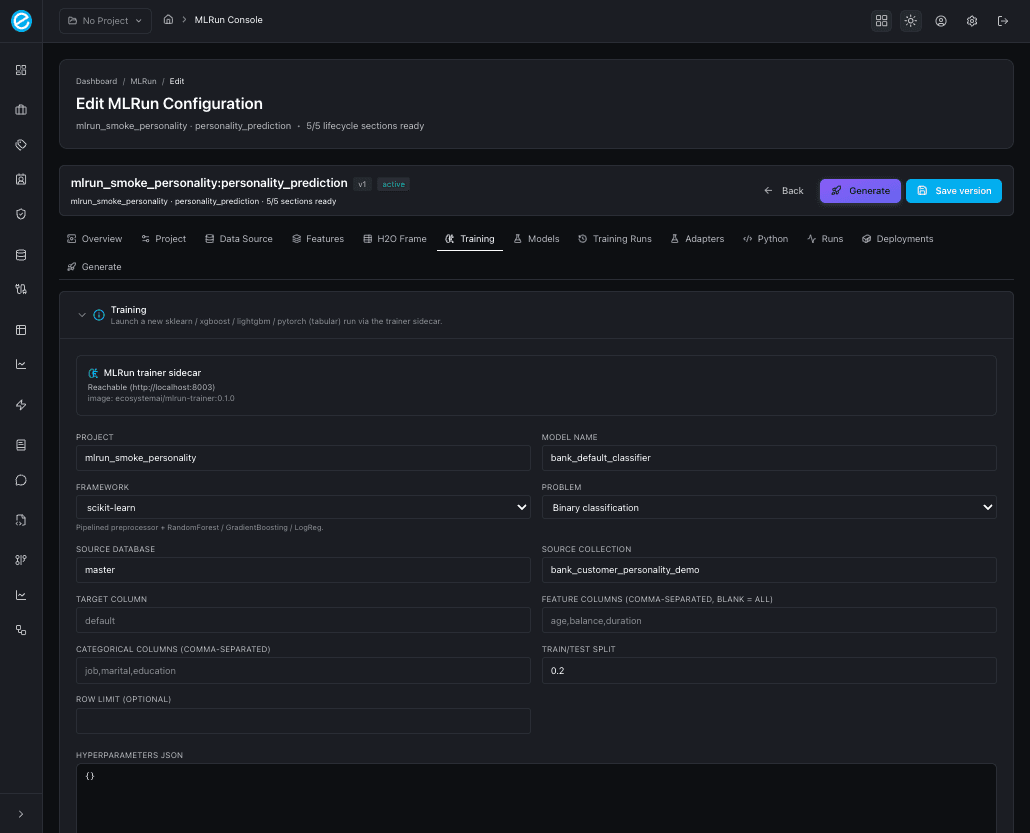
- Open
/mlrun-console, select the configuration row. - Switch to the Training tab.
- Choose the framework and click Train (the project, source database, and source/target collections are pre-filled from the configuration).
- The run lands in Training Runs and, once successful, appears in Models.
Models tab — score and deploy
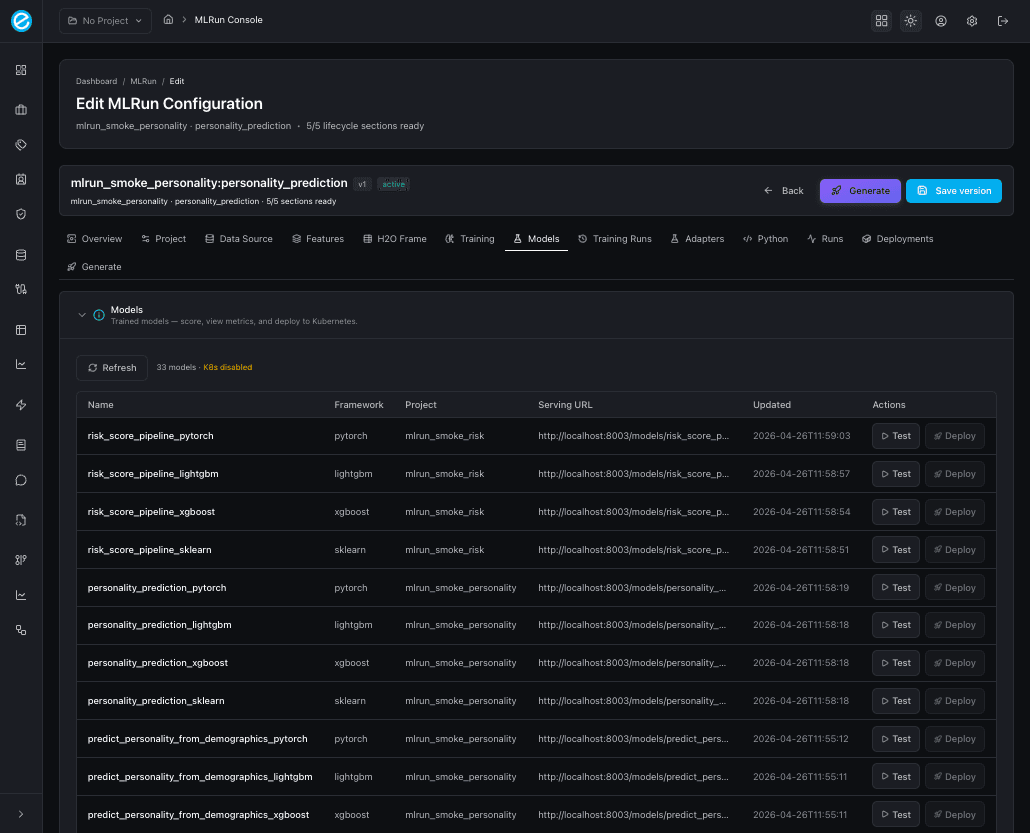
After a successful training run, the Models tab lists every
trained model bound to the configuration’s project_id. Each row
shows the framework, model id, adapter id, and the headline metrics
(accuracy, f1, roc_auc, and — for binary problems —
precision_at_k). Two row actions:
- Score — issues a sample
/invocationscall against the trainer sidecar and shows the response inline. Useful for smoke tests immediately after training. - Deploy — schedules the model on Docker Desktop Kubernetes via
/api/v1/k8s/*(only available whenK8S_ENABLED=true); on success the configuration switches to the Deployments tab so you can confirm the pod isRunning.
Training Runs tab — audit and retry
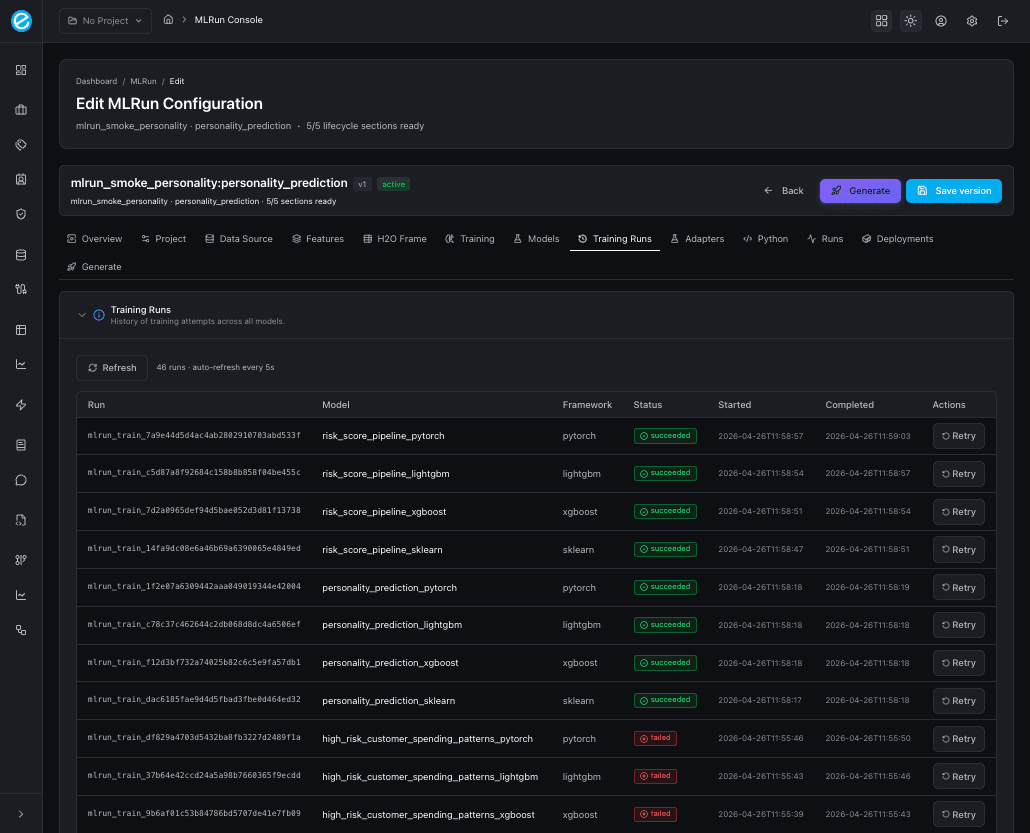
The Training Runs tab is the append-only history of every
POST /train call made for this configuration. Each row prints the
framework, status (succeeded / failed), elapsed seconds, and a
Retry action that re-submits with the same hyperparameters. Use
this tab to compare frameworks side-by-side — sklearn, xgboost,
lightgbm, and pytorch each emit the same metrics shape so the columns
are directly comparable.
Running all four frameworks per use-case
The seed script runs all four for both reference use-cases:
cd backend
./venv/bin/python scripts/seed_mlrun_use_cases.py --use-case all
After completion the Training Runs tab lists 8 successful rows
(4 per use-case). Each row links back to the trainer’s
/invocations URL so a smoke test scoring call can be issued
directly from the UI.
Multiclass classification (Customer Personality)
The customer-personality target carries 4–6 labels. The trainer:
- One-hot encodes categorical features (
gender,income_band,region,life_stage,marital_status). - Uses a stratified 80/20 split on
personality. - Reports
accuracyand weightedf1(instead ofroc_auc, which is binary-only). - For sklearn / xgboost / lightgbm, the model exposes
predict_probaso the runtime can return a per-label probability vector when scoring. - For pytorch, the wrapper writes an output layer with
out_features=len(classes)and a softmax head; the adapter serialises the class index back to the original label string.
Binary classification (Customer Spend Risk)
is_high_risk is the target. The trainer reports accuracy,
roc_auc, f1, and precision_at_k (top-decile precision, useful
for fraud-style review queues). All four frameworks emit the same
shape so the UI can compare them in the Models tab.
Programmatic training
The same training run can be reproduced from generated Python (see Python Generator):
from train_model import train_all

results = train_all(trainer_url="http://localhost:8003")
for run in results:
    print(run.run_id, run.framework, run.metrics)
Each call hits POST /train on the trainer; the response is parsed
into a MlrunTrainingResponse and returned alongside the framework
label.